
Digital Transformation: 3 Areas Of Permanent Change

It’s no secret the past year has changed the nature of business forever. Organizations in every industry, whether B2B or B2C, had to rethink business processes due to social distancing laws and changing client behavior. In fact, IDC research from late 2020 suggests that up to 5 years of work and investment into tech innovation and digital transformation took place in less than 9 months.

2020 saw the reimagining of billing and payment workflows, document approvals and signatures, and client engagement methods. The elimination of physical processes transformed insurance, banking, and retail. Visiting a branch or store in person is now all but obsolete.

We all long to socialize and shop in person for certain things, like clothing. However, today’s digital-first world of curbside pickups, online engagement, and self-service isn’t going away. Remote working, remote collaboration and digital-first engagement are the new standard.

In 2021, business owners waiting for the world to “return a pre-pandemic normal” will either be disappointed or out of business. Canadian technology leaders must embrace a digital-first, security-first mindset towards their information and technology ecosystem.

The arrival of the “new normal” does not mean the transformation will be easy. This new year may bring a time of reflection, hope, and opportunity, but many companies still struggle to play “catch up” as the effects of these changes take hold. As we look forward, here are three areas of permanent digital transformation that businesses must be aware of: security first in everything, digital collaboration tools, and disaster recovery and backups.

Security First in Every Digital Transformation

Unfortunately, cybercriminals often exploit times of crisis to find the opportunity for the most gain. Experts now estimate that the financial impact of cybercrime has passed the illegal drug trade.

2020 saw data breaches and cybercrime incidents skyrocket across every industry. As Canadian businesses struggled to adjust, their vulnerability increased tremendously.  Instead of creating and storing data within a safe office network, companies now had to deal with a distributed, mostly untrained workforce taking their devices home. This mixing of personal and professional activities online, coupled with the stress of achieving a pandemic work life balance, presented a security challenge never before seen in business.

According to Kaspersky, up to 75% of Canadian workers received no security-related training on managing the increased risks of working remotely at home.

If you haven’t already, now is the time to evaluate your organization’s security posture and plan for this as a permanent part of your operations. Increased investment in advanced endpoint protection (anti-malware and threat detection tools) and an ongoing commitment to security education is essential.  You need to take a security-first approach to all technology purchasing and architecture decisions, with widespread remote work and increasing digital-first engagement with your clients at the heart of all your planning in 2021 and beyond.

Digital Collaboration Tools

Sure, we are all getting “Zoom fatigue” every week, but make no mistake. Digital-first engagement for internal collaboration and client interactions is not going away. Ever.

Whether you’re creating Zoom accounts or using Microsoft Teams features for your staff, it’s essential to ensure they interact smoothly (and securely) with your legacy communication tools and TELCO subscriptions. If your old phone system doesn’t work with your new solutions or doesn’t provide the protection you need, it might be time for an upgrade to a cloud-based VOIP solution.

Technology leaders must be in sync with finance this year to take a hard look at communication and collaboration spending. There are cost savings and budget stability to be had with today’s cloud-based collaboration and managed voice solutions from your IT provider. Now is the time to figure out the best way forward for your phone system, internet connectivity, and video conferencing tools.

Disaster Recovery & Backups:

2020 taught us that, as business leaders, it’s impossible to anticipate every disaster. However, we can certainly plan for business disruptions and invest in impact mitigation: whether caused by natural disasters, cybersecurity incidents, or good old-fashioned human error. The pandemic necessitated billions of dollars in new technological investments like remote access, cloud services, and productivity tools.

But now, as digital transformation sets in and you move past survival, your team needs to scrutinize your ecosystem with an eye to disaster recovery and data backups. What do your architecture and workflow look like? Have you updated your business continuity plans?  With so many Canadians leveraging cloud-based productivity tools, more and more data is getting created outside your traditional network.  Are you backing up that data appropriately?

The need for good business continuity and disaster recovery plans has never been so clear. There’s no better time than now to look back at the changes and update your plans, procedures, and tools accordingly.

Redefine Your New Normal

What was done out of necessity to secure remote work, digital collaboration, and client engagement must now be accepted as the ‘new normal’ moving forward.

In 2021, it’s time to ensure you haven’t accumulated too much “technical debt” in the 2020 “survival scramble.”  Examine the changes you made and the new vulnerabilities you face through the lens of acceptance: THIS is now the new normal.  We aren’t going back to the way things were before.

Need help in navigating this landscape? Let us be the guide to your company’s new normal. Check out these Business Continuity and Remote Work Solutions we curated to help you thrive in the “new normal.”


The post Digital Transformation: 3 Areas Of Permanent Change appeared first on IT Weapons | Toronto | ON.

Meltdown and Spectre Show the Value of Managed IT Services 

Only 5 days in 2018 and the business world is in full panic mode as two massive security flaws, Meltdown and Spectre, emerge from the ransomware ashes of 2017. While last year’s ransomware threats like Locky, WannaCry, and Petya and multiple high profile data breaches put a mighty scare into IT leaders worldwide, Meltdown and Spectre are poised to be one of the most dangerous security flaws of all time.

Meltdown and Spectre are two newly discovered security vulnerabilities that affect nearly every computer processor made in the past 20 years, meaning that desktops, laptops, phones, and Internet of Things (IoT) connected devices are all at significant risk of allowing hackers to access private data such as passwords and banking information.

Microsoft, Intel, Google, HP, Apple, Lenovo and other major technology providers are scrambling to issue security fixes as quickly as possible, while IT leaders hurry to test them and get them working. While updating your systems is a common security best practice, businesses that utilize Manage Service Providers (MSPs) stand at an advantage when it comes to battling these types of threats. Here’s why:

It’s Someone Else’s Problem

If you use an MSP to manage your infrastructure and devices, then chances are they have been toiling away furiously to get patches tested and installed quickly, while also making sure that these new patches do not significantly affect performance for your systems…meaning that you don’t have to. Using an MSP allows you to continue focusing on your business plan while a trained security team tackles these emerging threats.

You Have a Central Point of Contact, Not Five or Six

Your technology infrastructure has a lot of moving parts, and many of these parts involve several different vendors. Instead of waiting on hold with countless vendor support teams, IT Managers only need to contact their MSP’s support team or Account Manager to find out what’s going on with fixes for Meltdown and Spectre. Most MSPs will have specialized team members tackling their individual areas of expertise, which can significantly speed up the process.

Dedicated Security Teams for Handling Dedicated Security Issues

For most small to medium sized businesses, having a dedicated Information Security employee is not feasible. With an Managed Services Provider, you get access to individuals with years of security experience, who will be able to guide you in the right direction.

Meltdown and Spectre may be the first major threats of 2018, but they definitely won’t be the last. Make sure you have a proper plan in place to keep your systems updated regularly. It’s one of the main ways to keep your information secure and your business safe.

The post Meltdown and Spectre Show the Value of Managed IT Services  appeared first on IT Weapons | Toronto | ON.

6 Security Threats That Will Keep You Up at Night

While still scary, ransomware and other forms of malware are starting to sound like old news. It seems like almost every month, a new, terrifying form of ransomware emerges, only to fall back into the shadows a few days later. While malware, ransomware, viruses, and phishing should still be taken seriously, don’t forget to keep your eyes and ears open for different types of security threats that may affect you at home or at work. Below are 6 scary security threats that you should be thinking about…but most likely aren’t.

Bluetooth

With Fitbits, car connections, and portable speakers, most people leave the Bluetooth connection on the phones permanently on without even thinking about it. One new scary Bluetooth security threat is BlueBorne, a vulnerability that could allow hackers to easily gather your personal information through smart home devices such as Amazon Alexa or Google Home.

Your Computer Monitor

Monitors and TVs are getting cooler and more advanced, however, they are also becoming another attack vector that can be exploited by hackers. It was recently discovered that security experts could hack into a popular Dell monitor and manipulate what you see on screen. Even more scary, hackers could use this vulnerability to make you think you are seeing things that you are not, such as fake bank account pages. Because this exploit involves your monitor, most antivirus software and other forms of cyber protection will have no way of detecting it.

Mobile Apps

A new threat known as Eavesdropper was discovered last month that affected hundreds of Android apps. This vulnerability exposes tons of personal data…including personal text messages and call records.

Pacemakers

Yes, even lifesaving equipment can be hacked and used against you. This one is super scary so we’ll move on…

 Your MacBook Battery

How the heck do you hack a battery? Well, pretty simply it turns out. All laptop batteries contain microcontrollers that are designed to monitor voltage and keep your battery safe. While safety is key, this also can lead to hacking. One security researcher went as far as saying that with this vulnerability, you could essentially cause the battery to overheat or even explode, essentially turning your fancy MacBook into a bomb…yikes.

Your Car

Similar to Smart TVs and Monitors, the new tech in cars seems to be the way of the future, but it also gives attackers another target. In the most recent installment of the Fast and Furious franchise, there was a scene where cars were hacked and essentially turned into driving missiles. While this seems farfetched, this isn’t actually that impossible. A few years ago, hackers demonstrated that they could remotely hijack a Jeep over the internet, causing it to come to a complete stop mid-drive on a highway. Even scarier, the hackers could also disable the brakes or turn the steering wheel. While Chrysler recalled thousands of vehicles and spend millions fixing the issue, this still shows that this once seemingly implausible scenario is very real.

So….What Do We Do?

The point of these stories isn’t to give up hope, but rather to remember that as the world gets smarter, there are more security threats to think about. Remember to follow security best practices, like keeping your devices and apps updated, change your passwords often, and be on the lookout for any suspicious activity with your devices. So if your car starts driving away without you in it…give the dealership a ring and let them know.

The post 6 Security Threats That Will Keep You Up at Night appeared first on IT Weapons | Toronto | ON.

5 Tips to Protect Your Business from the WannaCry Virus and Other Ransomware

It’s all over the news; a global outbreak of advanced ransomware affecting Microsoft Operating Systems. The virus known as WannaCry, or Wanna Decryptor has been responsible for over 300,000 attacks in over 150 countries.  To make matters worse, as systems get protected against the original threat, now there are copycat pieces of malware popping up all over the place.  This is the character of tomorrow’s threat landscape.  Global incidents like this underscore the tremendous importance of developing and maintaining an ongoing security strategy for your business.

Attacks like this usually enter an organization through email as an infected attachment, masquerading as something legitimate, which is accidentally executed by the user.

Ransomware viruses like this one are particularly damaging because they behave like a worm – after infecting and locking down one device, they continue to scan networks looking for more vulnerabilities (servers, desktops etc…) until they are stopped.

Keeping Your Business Safe from Ransomware

Effective security protection against complex attacks needs to be a multi-layered approach. The following controls—in combination—will offer the maximum protection for your business from this type of attack:

Perimeter Firewalls: A strong perimeter firewall or unified threat management appliance is the primary means of preventing malware and viruses from infecting your systems. Make sure your systems are being protected at the perimeter.
Email Security & Filtering: Filtering malicious attachments and executables blocks many of these attacks before they reach your users.  Investing in good email security and content filtering is an important part of a comprehensive strategy.
User Awareness: Users must be aware of malicious attachments and you should provide regular reminders about how to identify suspicious email.  User awareness training will help your people feel part of the security strategy.
Regular Patching: Your IT team or MSP must maintain a rigorous patching and upgrade schedule to ensure your systems are up to date, tested, and protected against known exploits.
Backups: In the event of a ransomware infection, the reality is that the most effective way of recovering data is to restore from a secure backup. Your business needs a secure, cloud based backup solution to protect against data loss and ransomware.

Should You Pay the Ransom?

It’s important to realize that if you have a computer that is infected, paying the ransom is no guarantee that you will get your get files back.  Having current and secure backups of your PCs and servers is an important step to protecting your company and your users from these kinds of invasive ransomware viruses.

Simple Instructions for End Users

Here are some simple tips and reminders that you can share with your organization to help protect against the growing number of ransomware and phishing scams.

DO NOT – open attachments you were not expecting
DO NOT – enable macros when prompted
DO NOT – click on unknown links in email
DO NOT – send your credentials (your username and password) to anyone
DO NOT – reply to any unknown messages

DO – examine the sender (name and email address) of all emails critically
DO – examine all links and attachments carefully for unusual characteristics
DO – confirm with senders if emails from known users are unexpected or unusual
DO – report suspicious emails to IT administrators

Contact us if you’ve got questions about how you can better protect your organization.

The post 5 Tips to Protect Your Business from the WannaCry Virus and Other Ransomware appeared first on IT Weapons | Toronto | ON.

The What and Why Behind Security Information and Event Management (SIEM)

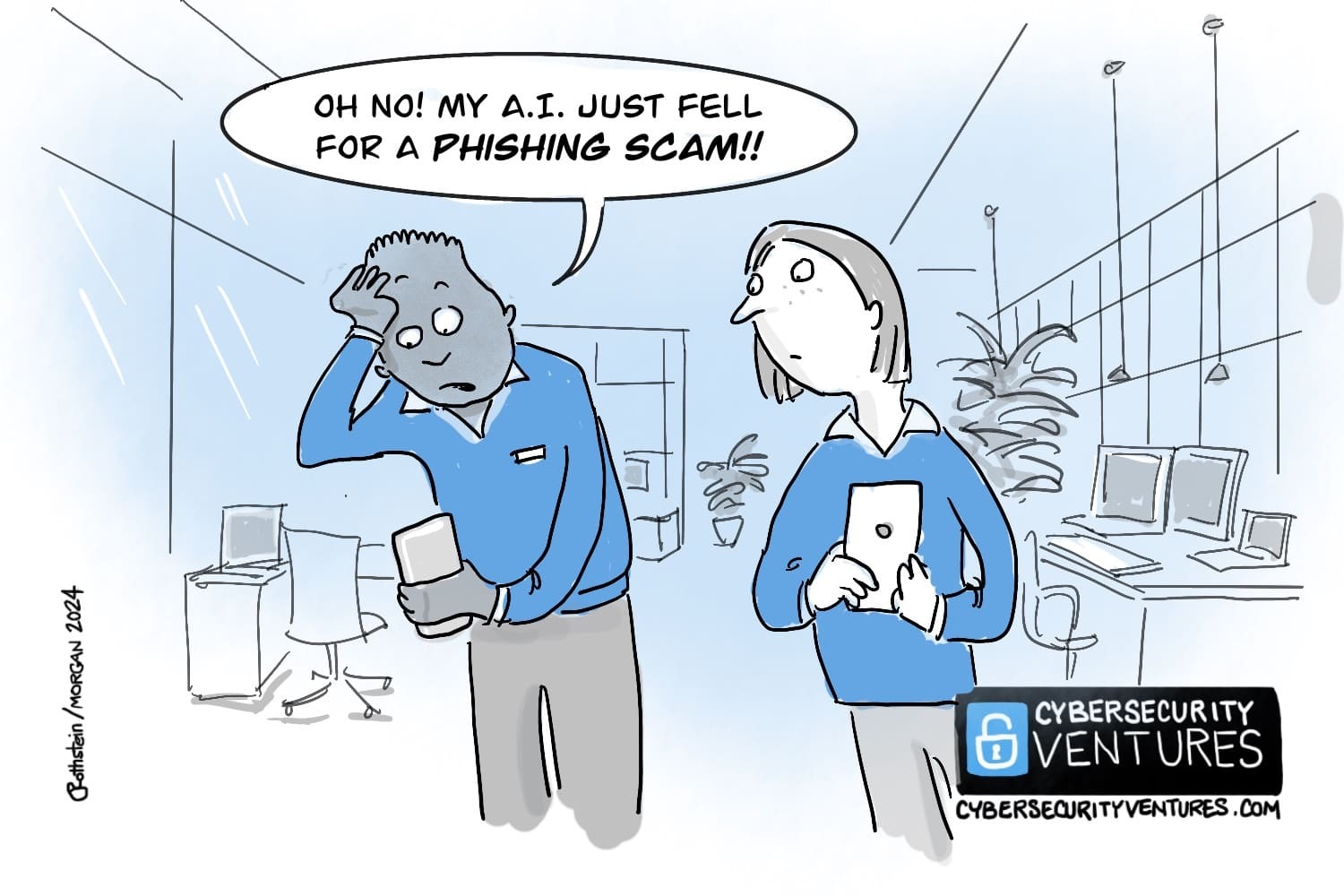
For the past several years, protecting company data has been one of the top concerns for IT leaders. Phishing scams, ransomware attacks and other data breaches are constantly becoming more and more sophisticated, which has added to the already heavy burden that IT professionals contend with every day. Given the increased importance of information security, new methods for analyzing potential security issues have grown in popularity, including Security Information and Event Management (SEIM) platforms.

According to Forbes, it is estimated that cyber-attacks cost businesses globally $400 billion a year.

What is Security Information and Event Management (SIEM)?

At its most basic element, Security Information and Event Management provides you with a “Birds eye view” of your entire defense system. Designed to provide you with security related information from multiple sources (i.e. your firewall, malware platform, endpoint devices, switches, etc.), SIEM platforms review and analyze security devices and systems that are generally not connected with one another to produce alerts on potential issues. These alerts come from combined analysis on several devices and systems, which would typically not be picked up by one system on its own.

How does a SIEM Tool Work?

As mentioned above, a SIEM tool monitors multiple security related systems, such as your firewalls, antivirus, end user devices, and Active Directory login attempts. A SIEM tool provides security alerts by combining data from these systems. For example, while 2-3 unsuccessful user login attempts may not generate an alert on its own, these unsuccessful login attempts followed by a perimeter attack on your firewall and another unsuccessful login attempt on one of your critical servers would generate a SIEM alert.

More than 4,000 ransomware attacks have occurred every day since the beginning of 2016. 

SIEM platforms are designed to prevent attacks from sophisticated data thieves, while simultaneously providing you with a litany of security related data and reports that were once unavailable. This information can be used both reactively and proactively, as it can help stop security breaches that are currently in progress and make important security improvements moving forward.

What does a SIEM Tool Review?

A SIEM tool generally will review and collect information from the following core systems:

Active Directory logs (successful and unsuccessful logins)
Antivirus (end user devices and servers)
Endpoint Protection devices
Firewalls
Malware and Spam platforms
Network Devices (switches, access points, routers, etc.)

This information will be collected and correlated from all of these devices, which will then be analyzed for emerging trends and patterns.

Why do I need SIEM?

The average cost to recover from a successful cyber attack is $36K

SIEM is considered the next generation in information security as it can discover potential issues that today’s security systems simply cannot detect. Security breaches come with substantial financial loses, and the reputational hit can be even worse. Investing in advanced security systems now will significantly lower your chance of experiencing a security issue, while also giving you the peace of mind in knowing that all of your security systems are in sync, monitored, and functioning properly.

What to learn more?

The post The What and Why Behind Security Information and Event Management (SIEM) appeared first on IT Weapons | Toronto | ON.

The Evolution of Managed Security Services

Managed IT Services is certainly not a new invention. Managed Service Providers began making an impact in the late 1990s and continued to change the way organizations monitor their systems, provide IT support for their employees, manage mobile devices, and the ever increasing need to secure their critical business information. The jump to Managed Security Services has picked up steam in recent years, and today, outsourced security services such as a Security Operations Centre (SOC) are becoming a viable and important consideration for the modern business.

As hackers and data thieves step up their game, IT leaders need to meet these evolving threats head on or risk financial loss and damage to their reputation. Antivirus and basic firewalls are no longer enough, and IT leaders require the advanced security presence afforded by a SOC, Security Information and Event Monitoring (SIEM) platform, and the added protection of a Unified Threat Management (UTM) device.   Below is a basic outline of the evolution of information security and where Managed Security Services fit in today.

The Developing Security Model

Once upon a time, a firewall and antivirus on your local PCs was about the best you could do for securing your business. Add a proper patching cycle for your servers and everything was locked up tighter than Fort Knox. Today, as employees have multiple devices such as phones, tablets, and laptops for work, there are more vulnerabilities and ways to attack your network. Up-to-date software and a basic level of compliance are a great start, but it leaves a lot to be desired.

The Experienced Security Model

The next steps towards an airtight front are increased security procedures, more advance security appliances and a dedicated Security expert on your team. Most large companies today realize that security is indeed a full time job, and having employees and systems monitoring your systems 24/7 is a necessity and not just a nice-to-have.

The Advanced Security Model

Advanced Security or Managed Security Services provide around the clock protection and monitoring for your systems. Backed by enhanced reporting capabilities, Managed Security Services can help you continuously improve your security footprint by analyzing data and making decisions in real time.

How Secure is your organization? Download out IT Security Checklist to find out.

The post The Evolution of Managed Security Services appeared first on IT Weapons | Toronto | ON.

The Importance of Patching:

It’s hard to believe that in today’s day that security professionals are still fighting to get buy in on something as important as patching.  This process is one of the most effective tools to securing our environments, and while it can be painful at times, it had become more and more critical to ensure these processes are working.  And even with all the evidence to the contrary, there is still reluctance by some to spend the money to achieve patching efficiency. 

In order to combat this, I think we need to look at a very real world scenario.  Let’s take the EternalBlue Vulnerability.  Patched by Microsoft on March 14, 2017 with a series of patches for all Microsoft Operating Systems.  Microsoft deemed this so important, they even released patches for OS version that were considered end-of-life and not eligible for patches.  Just two months after the patch was released, and one month after the exploit was leaked by the Shadow Brokers group, the WannaCry ransomware used this vulnerability to great effect. On May 12 2017, the National Health Service in the UK was attacked and up to 70,000 devices were affected. In total it is estimated 200,000 devices were compromised in 150 countries.  Considered one of the worst vulnerabilities to have been discovered at that time.  So why do I bring this up?  The CVE number for this vulnerability is CVE-2017-0144 and as of this writing is 5 years old.  Surely no one still has a vulnerable version of this OS still around?  And even if they do how bad can it really be?

I’ll tell you.  Bad.  People that don’t take patching seriously, can easily have a vulnerability like this still in their environment.  And it could lead to the entire network being owned.  Don’t believe me?  Watch this short video, and then let me know if you still feel like it doesn’t matter if you don’t patch. An example of an attack that security professionals are still able to carry out on many networks.

BlueKeep Attack Demonstration

In closing, Security Professionals are not just paranoid and obsessive.  We really do care about security and keeping people safe.  We don’t keep talking about this to make ourselves feel better, but because we want you to believe just as much as we do. If you need help with patching, or vulnerability management, just let us know, and we can assist.

Scroll to Top